
01. What a RolePlay Report Is
What a roleplay report is, where to find it, and how it's structured.
A roleplay report contains an assessment of a participant's skills based on their responses during the roleplay.
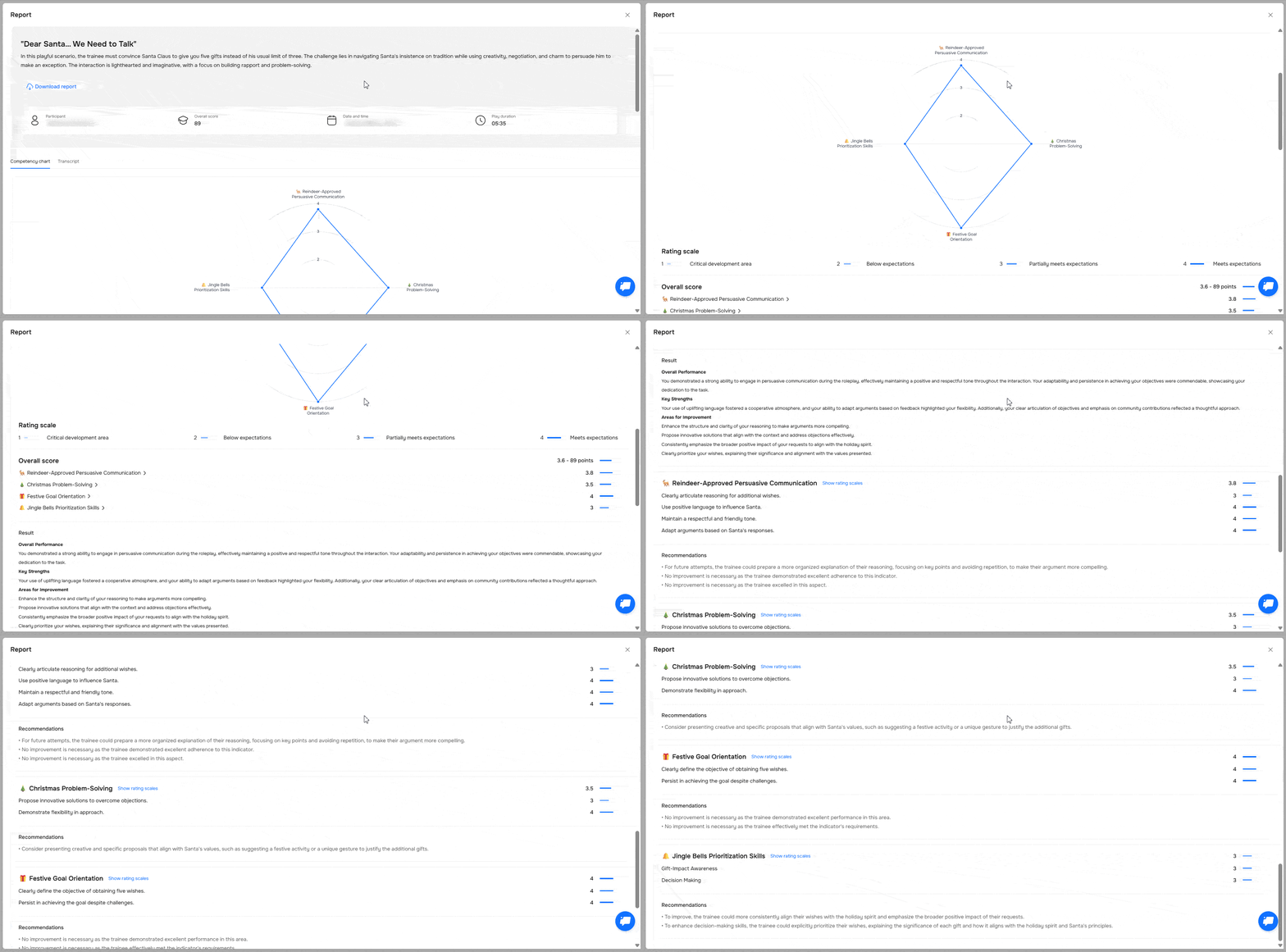
The report is generated the same way for both session types: "Preview" and "Role Play." The structure and data are the same regardless of the mode.
Where to find the report
There are two ways to view the report:
- Right after the session ends — it appears once you click "Finish" during the roleplay.
- In the "Analytics" → "Sessions" section. You can open a specific participant's report from the table.
Report structure
Main sections and what you can see in them
| Section |
| |
|---|---|---|
| General information | The top part of the report displays:
| |
| Report download button | Use them to save a participant's results for further analysis. | |
| Competency chart | Visualizes the score for each competency assessed in the session. | |
| Conversation transcript | Shows the conversation between the participant and the bot, including additional tips and suggested improvements for the participant. |
Need Help
Write to us in the chat — we're always happy to help 💬