
02. Competency Chart
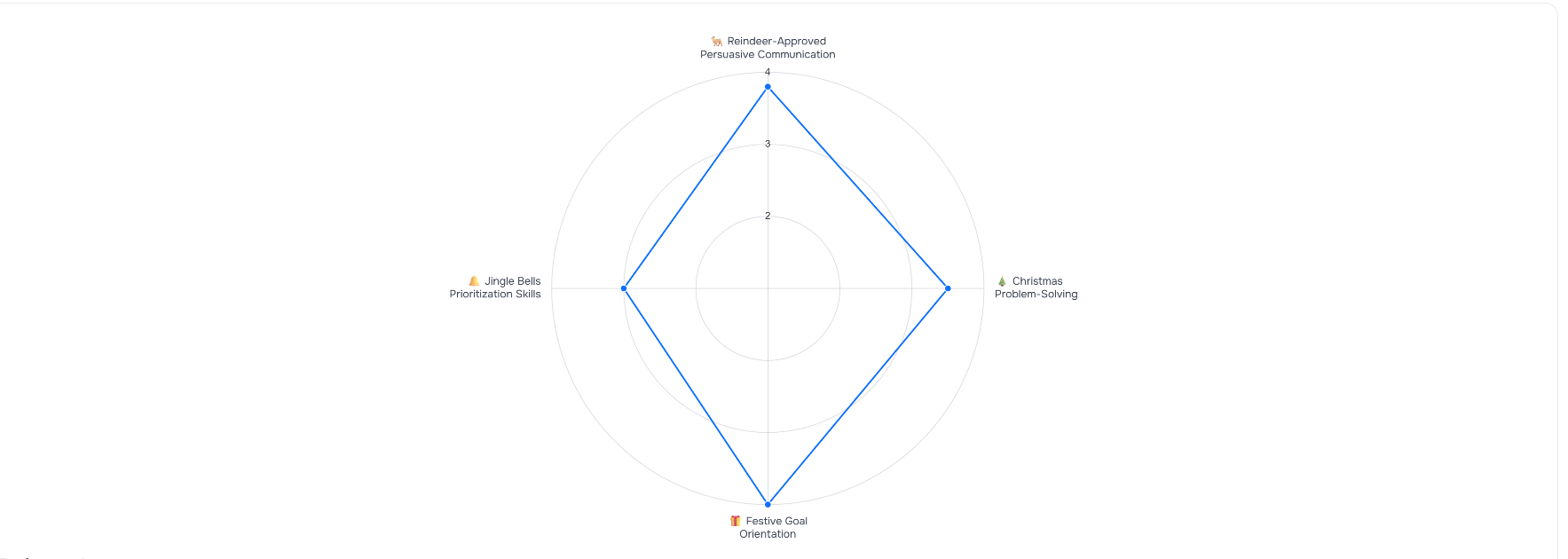
The competency chart is a visual part of the report. It shows how you performed in each competency.
Wind rose chart
The wind rose chart gives you a quick visual snapshot of your performance across key skills during the roleplay. Each competency is scored from 1 to 4.
Rating scale
The scale defines what each score means:
1 – critical development area
2 – below expectations
3 – partially meets expectations
4 – meets expectations

Overall score
Your overall score is the final grade for the entire roleplay. It's calculated automatically and ranges from 1 to 100.

⚠️ Important: competency scores vs. overall score
These two numbers aren't interchangeable – they work together. A high overall score (say, 90+) almost always means all your competencies are rated 3 or 4. A low overall score (below 50, for example) means some competencies fall into the 1–2 range.
| What | Scale | How it's calculated | What it shows |
|---|---|---|---|
| Competency rating | 1–4 | Assigned per competency | Your level for that specific skill |
| Overall score | 1–100 | Calculated automatically from all ratings | Your final result for the whole game |
Viewing a competency's detailed breakdown
Tap or click any competency in the list to open its detailed analysis – you'll find it right after the results section.
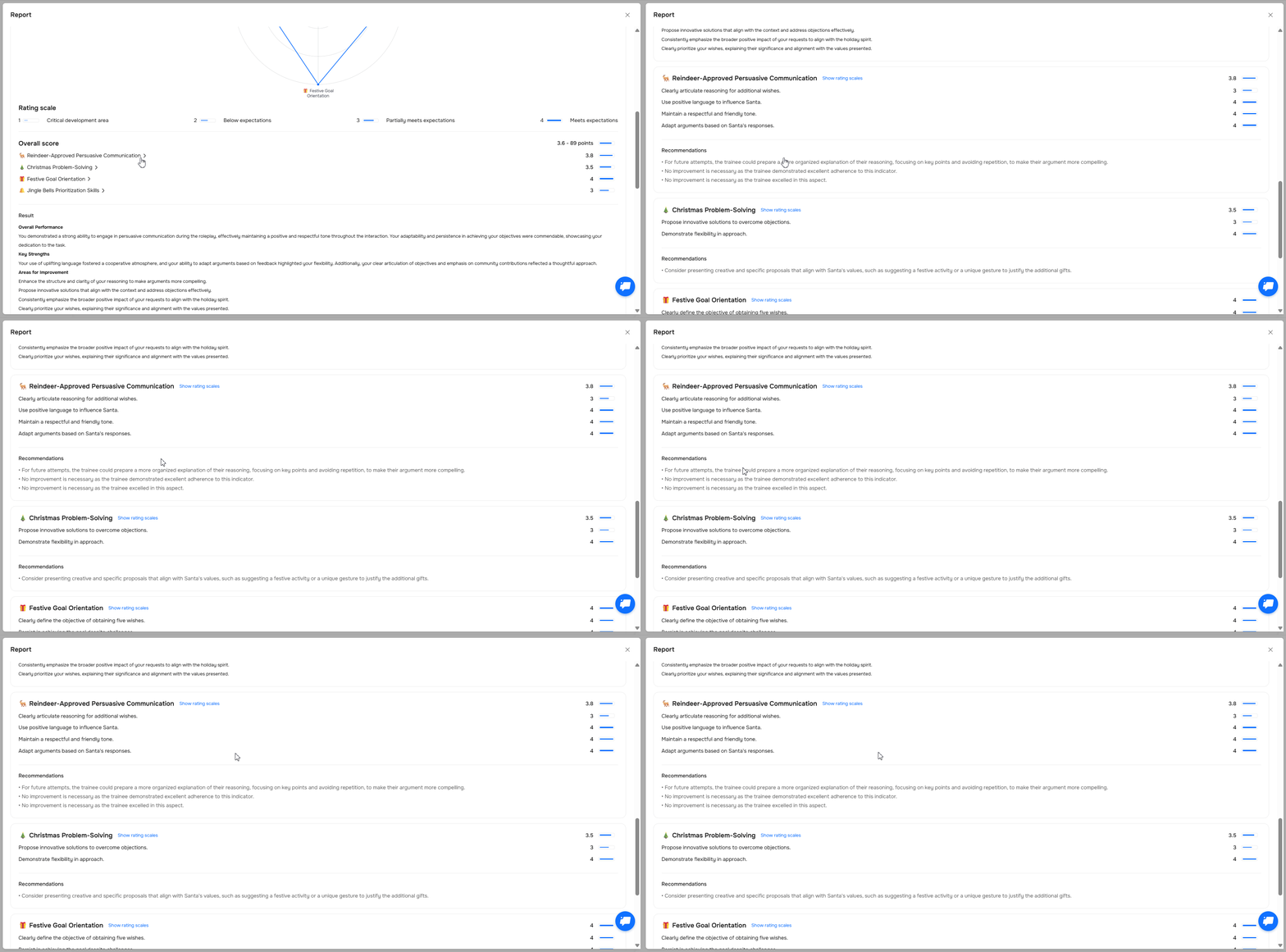
Results
Structured feedback from the roleplay. This block appears as four separate sections in your report:
Game report
What went well
What held you back
What to do differently next time

Detailed competency report
After the overall score and results, you'll see each competency listed individually, along with the indicators used for assessment.
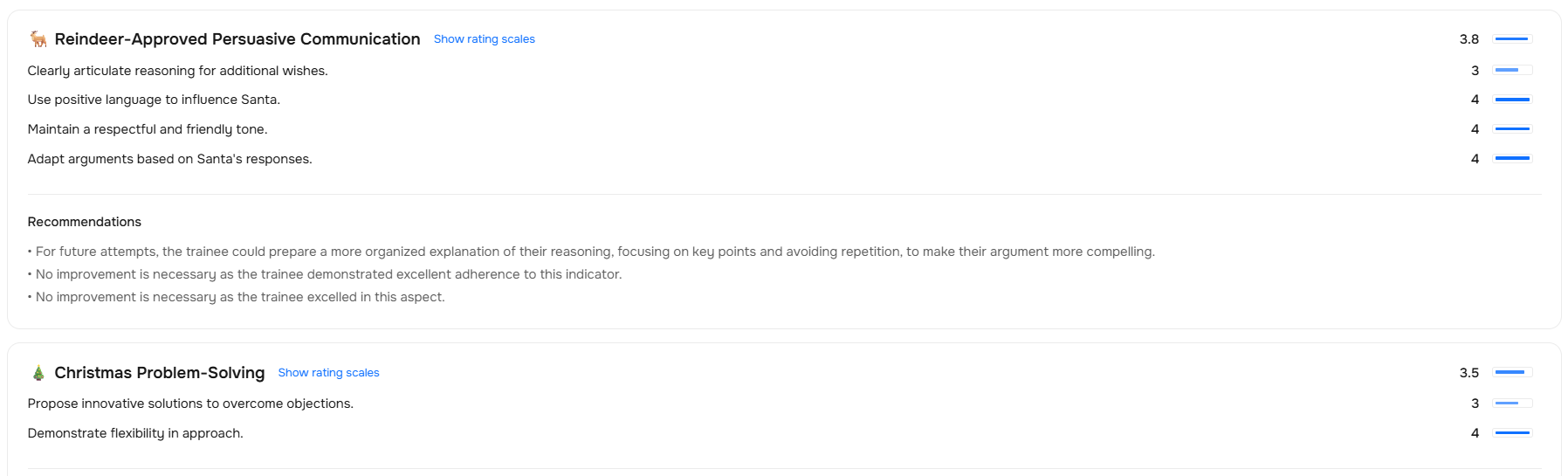
To see the indicator levels, click "Show rating scales" – it expands to show full indicator descriptions, levels, and scores.

To collapse them, click "Hide rating scales".

Some competencies may also include tips on how to improve – like in the example below.

Need Help
Write to us in the chat — we're always happy to help 💬